ChatGPT: The Complete Guide to Artificial Intelligence, Features, Benefits, Uses, and Future
Introduction
ChatGPT has become one of the most popular artificial intelligence tools in the world. It can answer questions, explain difficult topics, help students learn, write and improve content, generate ideas, assist with programming, summarize information, translate languages, and support many everyday tasks. Because of its wide range of capabilities, ChatGPT is being used by students, teachers, writers, businesses, developers, marketers, researchers, and ordinary users.
Artificial intelligence has existed for decades, but modern AI assistants have made the technology accessible to almost everyone. Instead of learning complicated programming languages or understanding advanced computer science, a person can simply type a question in natural language and receive a response.
This article provides a detailed guide to Chat, including what it is, how it works, its major features, practical uses, advantages and limitations, its role in education and business, and what the future of AI assistants may look like.
What Is ChatGPT?
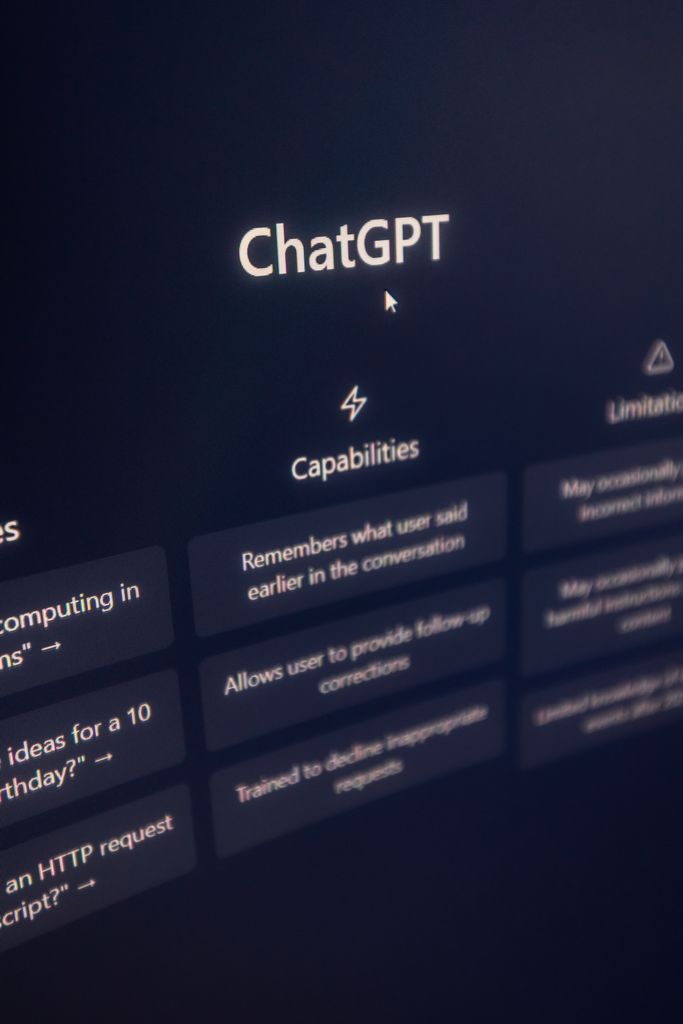
ChatGPT is an artificial intelligence assistant developed by OpenAI. It is designed to understand natural-language instructions and produce useful responses based on the user’s request.
The word “chat” reflects its conversational design. Instead of interacting with a computer through complicated commands, users can communicate with ChatGPT much like they communicate with another person.
For example, a user can ask:
“Explain artificial intelligence in simple words.”
ChatGPT can then provide an explanation appropriate for the user’s requested level.
A user can also ask it to:
- Write an article
- Rewrite a paragraph
- Translate text
- Explain a lesson
- Generate ideas
- Create an outline
- Help with coding
- Summarize information
- Prepare questions for an interview
- Improve grammar
- Brainstorm business ideas
- Create marketing content
The usefulness of ChatGPT largely depends on the quality and clarity of the user’s instructions.
How Does ChatGPT Work?
To understand ChatGT, it is helpful to understand the basic idea behind modern language models.
ChatGPT is based on a type of artificial intelligence called a large language model, or LLM. A language model is trained to recognize patterns in language and generate text that fits the context of a conversation.
During training, models process very large amounts of text and learn relationships between words, phrases, concepts, and patterns. This allows the model to generate responses when users provide prompts.
For example, if someone writes:
“The capital of France is…”
A language model can recognize the relationship between France and Paris and complete the sentence.
Modern models are considerably more sophisticated than simple autocomplete systems. They can follow instructions, maintain conversational context, analyze information, transform text, and perform many forms of reasoning.
However, it is important to remember that ChatGPT does not think exactly like a human being. Its responses are generated by an AI system rather than by human consciousness.
Why Has ChatGPT Become So Popular?
There are several reasons for the rapid popularity of
1. Easy to Use
One of its biggest advantages is simplicity. Users do not need extensive technical knowledge.
A person can simply type:
“Write a professional email asking for a job.”
The system can produce a draft.
2. Wide Range of Applications
ChatGPT is not limited to one profession. Students can use it for learning, writers can use it for brainstorming, programmers can use it for coding assistance, and businesses can use it for customer-support workflows and content creation.
3. Conversational Interaction
Users can ask follow-up questions rather than starting from scratch every time.
For example:
User: Explain SEO.
ChatGPT: SEO means Search Engine Optimization…
User: Explain it for a beginner.
ChatGPT: SEO is the process of improving…
This conversational format makes learning easier.
4. Productivity
ChatGPT can help users complete certain tasks more quickly. Instead of spending a long time creating an initial draft, a user can generate a starting point and then edit it.
5. Accessibility
AI assistants have made advanced language technology available to ordinary users through computers and mobile devices.
Main Features of ChatGPT
Chat+ has developed into a broad AI assistant rather than simply a chatbot.
1. Question Answering
Users can ask questions about many subjects.
Examples include:
- History
- Science
- Technology
- Business
- Writing
- Languages
- Mathematics
- Programming
- General knowledge
The user can also specify how complicated the answer should be.
For example:
“Explain blockchain to me like I am a beginner.”
This can produce a much simpler explanation than:
“Give me a technical explanation of blockchain architecture.”
2. Writing Assistance
can help create different forms of written content.
These include:
- Blog posts
- Articles
- Essays
- Product descriptions
- Social-media captions
- Emails
- Business proposals
- Scripts
- Reports
- Outlines
- Headlines
However, AI-generated writing should generally be reviewed and edited by a human, especially for professional or factual work.
3. Editing and Rewriting
ChatGPT can also improve existing text.
For example, a user can provide:
“I am interested in your company and want job.”
The user might ask:
“Make this sentence professional.”
ChatGPT can transform it into a more polished sentence.
It can also help with:
- Grammar
- Spelling
- Clarity
- Tone
- Structure
- Readability
- Professional language
ChatGPT for Students
Education is one of the areas where ChatGPT can be particularly useful when used responsibly.
Students can use it as a learning assistant rather than simply asking it to complete assignments.
Understanding Difficult Topics
Suppose a student does not understand photosynthesis.
Instead of searching through many pages, the student can ask:
“Explain photosynthesis in very simple language.”
The student can then ask follow-up questions until the concept becomes clear.
Creating Study Notes
ChatGT can help turn a long lesson into organized notes.
For example:
“Turn this chapter into 20 important points.”
This can help students review information.
Practice Questions
Students can ask ChatGPT to generate:
- Multiple-choice questions
- Short-answer questions
- Essay questions
- Vocabulary exercises
- Revision quizzes
They can then attempt the questions themselves.
Language Learning
ChatGPT can also be used for practicing English and other languages.
A learner can write a sentence and ask:
“Correct my English and explain my mistakes.”
This creates an interactive learning experience.
ChatGPT for Writers
Writers can use ChatGPT throughout the content-development process.
A writer might begin with an idea but not know how to organize it.
The writer can ask:
“Create an outline for an article about digital marketing.”
ChatGPT can produce sections such as:
- Introduction
- What is digital marketing?
- Major types
- Benefits
- SEO
- Social media marketing
- Email marketing
- Content marketing
- Future trends
- Conclusion
The writer can then develop each section.
Brainstorming
ChatGPT can generate potential:
- Article topics
- Headlines
- Questions
- Content angles
- Examples
- Subtopics
This can reduce the difficulty of starting from a blank page.
ChatGPT and SEO
Search engine optimization is another area where ChatGPT can assist.
SEO professionals and content writers can use AI to brainstorm keywords, create outlines, analyze search intent, and develop content ideas.
For example, someone working on a technology website might ask:
“Create an SEO-friendly outline for an article about artificial intelligence.”
The AI can suggest headings and questions that readers may want answered.
However, SEO professionals should not assume that simply generating large quantities of AI text will automatically produce strong search rankings.
High-quality content still needs:
- Accuracy
- Original value
- Good structure
- Relevant information
- Appropriate keyword usage
- Useful examples
- Strong user experience
- Human review
AI can assist with content creation, but it does not replace the need for a good SEO strategy.
ChatGPT for Guest Posting
Guest posting involves creating content for publication on another website, often as part of a digital marketing strategy.
ChatGPT can help guest-posting professionals with several stages of the process.
Finding Topics
A user can ask:
“Give me 20 guest-post ideas about technology.”
The AI can generate topic suggestions.
Creating Outlines
Once a topic is selected, ChatGPT can organize the article into headings.
Writing Drafts
It can create an initial draft that the writer can edit.
Outreach Emails
ChatGPT can also help create professional outreach messages.
For example:
“Write a short professional email asking a website owner whether they accept guest posts.”
The resulting draft can then be personalized for each website.
Important Point
A guest-posting professional should avoid sending identical, low-quality AI-generated messages to hundreds of websites. Personalization and genuine value are more effective for building professional relationships.
ChatGPT for Businesses
Businesses can use AI assistants in many different ways.
Customer Support
AI can help answer common customer questions.
For example:
- What are your opening hours?
- How does shipping work?
- What is your return policy?
- How can I reset my password?
Businesses can use AI to provide faster responses while allowing human employees to handle complicated cases.
Marketing
Marketing teams can use ChatGPT for:
- Campaign ideas
- Advertising concepts
- Social-media content
- Email drafts
- Product descriptions
- Blog ideas
Internal Documentation
Companies can also use AI to organize and simplify internal information.
For example:
“Turn these company instructions into a simple employee guide.”
ChatGPT for Programmers
ChatGPT can assist software developers with coding-related tasks.
A programmer can ask for help with:
- Explaining code
- Finding potential bugs
- Writing sample functions
- Understanding programming concepts
- Converting code between languages
- Creating documentation
- Generating test cases
For beginners, this can make programming concepts easier to understand.
For example:
“Explain this Python code line by line.”
ChatGPT can walk through the code and explain what each part is doing.
However, developers should test AI-generated code rather than assuming it is automatically correct.
ChatGPT for Social Media
Social-media creators can use ChatGPT for content planning.
It can help generate:
- Instagram captions
- YouTube video ideas
- TikTok concepts
- Facebook posts
- LinkedIn posts
- Short scripts
- Content calendars
For example:
“Create a 30-day content plan for a technology page.”
The AI can provide daily topic ideas.
Creators should still add their own personality and original ideas because audiences generally respond better to authentic content than repetitive AI-generated material.
ChatGPT for Translation
Language translation is another useful application.
Users can provide text and ask ChatGPT to translate it into another language.
It can also help explain the meaning of individual words and phrases.
For example:
“Translate this paragraph into Urdu and keep the language simple.”
A user can then ask:
“Explain difficult words.”
This makes translation useful not only for communication but also for language learning.
For important legal, medical, financial, or official documents, professional human translation may still be necessary.
ChatGPT for Research
ChatGPT can assist with the early stages of research by helping users understand a subject and organize questions.
A researcher might ask:
“Give me the main areas I should investigate when researching renewable energy.”
The AI can help create a research framework.
It can also:
- Explain terminology
- Suggest questions
- Organize notes
- Summarize user-provided material
- Compare concepts
- Create outlines
However, users should verify important facts against reliable primary or authoritative sources. AI systems can sometimes produce incorrect or outdated information.
ChatGPT and Productivity
One of the most practical applications of ChatGPT is improving productivity.
Imagine someone has a long list of tasks:
- Write an email
- Prepare a meeting agenda
- Create a report
- Summarize notes
- Generate ideas
Instead of starting each task from scratch, the user can use AI to create initial drafts.
This does not necessarily mean that AI should replace the person doing the work. Instead, it can function as a productivity tool.
How to Write Better ChatGPT Prompts
The quality of the response often depends on how clearly the user communicates the task.
A prompt is the instruction or question given to an AI system.
A weak prompt might be:
“Write about technology.”
A stronger prompt might be:
“Write a 1,500-word beginner-friendly article about how artificial intelligence is changing education. Use clear headings, short paragraphs, practical examples, and a professional tone.”
The second prompt gives the AI much more useful information.
Important Elements of a Good Prompt
1. Specify the Task
Tell ChatGPT exactly what you want.
For example:
“Create an outline.”
or
“Rewrite this paragraph.”
2. Specify the Audience
Tell the AI who will read the content.
For example:
“Write for beginners.”
3. Specify the Tone
You can request:
- Professional
- Friendly
- Simple
- Academic
- Persuasive
- Conversational
4. Specify the Length
For example:
“Write approximately 1,000 words.”
5. Provide Context
More relevant information usually allows the AI to produce a more useful result.
Advantages of ChatGPT
ChatGPT offers several important benefits.
Saves Time
It can produce drafts and explanations quickly.
Helps With Learning
Users can ask follow-up questions and request simpler explanations.
Supports Creativity
It can generate ideas when someone is stuck.
Improves Writing
It can identify grammatical and structural problems.
Available Across Many Fields
Its applications extend across education, business, technology, marketing, writing, and many other areas.
Personalized Interaction
Users can ask for different levels of detail and different writing styles.
Limitations of ChatGPT
Despite its capabilities, ChatGPT is not perfect.
1. It Can Make Mistakes
AI-generated information can sometimes be incorrect.
Therefore, important facts should be verified.
2. It May Lack Context
If a user provides insufficient information, the response may not match the user’s actual needs.
3. It Does Not Replace Human Judgment
Important decisions should not automatically be delegated to an AI system.
4. AI-Generated Content Can Be Generic
If users ask for very broad content, the result may sound repetitive or ordinary.
Adding personal experience, original research, examples, and expert insight can make content stronger.
5. Privacy Matters
Users should be careful about entering sensitive personal, financial, confidential, or proprietary information into AI systems.
ChatGPT and Human Creativity
There is an important debate about whether AI will replace human creativity.
The better way to view ChatGPT is often as a tool that can support human creativity.
For example, an author may use AI to brainstorm ten story ideas but choose and develop one independently.
A marketer may use AI to generate advertising concepts but use human knowledge to select the best campaign.
A student may use AI to explain a difficult topic and then write their own answer.
In these examples, AI assists the person rather than completely replacing human involvement.
Will ChatGPT Replace Jobs?
Artificial intelligence is likely to change many jobs, but predicting exactly which jobs will disappear is difficult.
Some repetitive tasks may increasingly be automated.
At the same time, new roles may develop around:
- AI management
- AI-assisted content creation
- Data analysis
- AI product development
- Automation
- Prompt design
- AI safety
- AI governance
The most valuable approach for many workers may be learning how to use AI effectively while developing skills that require human judgment, creativity, communication, and specialized knowledge.
ChatGPT in Digital Marketing
Digital marketers can use ChatGPT throughout a campaign.
Content Strategy
It can help generate content ideas and outlines.
Email Marketing
It can draft newsletters and promotional emails.
Social Media
It can suggest captions and posting ideas.
SEO
It can assist with keyword brainstorming, content structures, FAQs, and search-intent analysis.
Advertising
It can generate variations of advertising copy for testing.
Still, marketers should analyze real audience behavior and performance data rather than relying entirely on AI-generated suggestions.
ChatGPT for Small Businesses
Small businesses often have limited budgets and limited staff.
AI tools can help reduce the time required for certain administrative and creative tasks.
A small online business might use ChatGPT to:
- Write product descriptions
- Draft customer emails
- Create social-media ideas
- Prepare FAQs
- Write website content
- Develop promotional campaigns
- Brainstorm business names
This can be particularly useful for entrepreneurs who need to handle many responsibilities themselves.
ChatGPT for Freelancers
Freelancers can use AI to improve their workflow.
For example, a freelance writer can use it for brainstorming and editing.
A virtual assistant can use it to organize information.
A marketer can use it for campaign ideas.
An SEO freelancer can use it for content planning.
However, freelancers should avoid selling unedited AI-generated work as if it were their own expert output. Clients generally pay for quality, accuracy, experience, and results—not merely for generated text.
ChatGPT on Mobile Devices
One of the reasons AI assistants are accessible to more people is that they can be used from mobile devices.
A smartphone can become an AI-powered writing and learning assistant.
Users can ask questions while studying, draft messages, brainstorm ideas, or work on content without needing a traditional computer for every task.
For people who primarily work from a phone, AI can become one component of a broader mobile productivity workflow.
How Beginners Can Start Using ChatGPT
A beginner does not need to learn complicated technical concepts before using ChatGPT.
A simple process is enough:
Step 1: Identify the Goal
Ask yourself:
“What do I want ChatGPT to help me accomplish?”
Step 2: Explain the Task
Tell ChatGPT what you need.
Step 3: Add Context
Provide relevant information.
Step 4: Specify the Output
Tell it whether you want:
- A list
- Article
- Table
- Summary
- Explanation
- Step-by-step guide
Step 5: Review the Result
Read the answer carefully.
Step 6: Ask Follow-Up Questions
If something is unclear, ask ChatGPT to explain it differently.
Example of an Effective ChatGPT Workflow
Suppose someone wants to create a blog about technology.
They could start with:
“Give me 20 technology blog topics for beginners.”
Then:
“Choose the five strongest topics.”
Then:
“Create an SEO-friendly outline for topic number one.”
Then:
“Write the introduction.”
Then:
“Make the introduction more engaging.”
Then:
“Create an FAQ section.”
Finally:
“Review the complete article for grammar, clarity, repetition, and factual claims that need verification.”
This demonstrates how ChatGPT can be used as part of a workflow rather than simply producing one large response.
ChatGPT and the Future of Artificial Intelligence
The development of ChatGPT represents a broader transformation in how humans interact with computers.
Traditional software often requires users to learn menus, commands, and workflows.
AI assistants increasingly allow people to describe what they want using ordinary language.
This could make computing more accessible.
In the future, AI assistants may become increasingly integrated into:
- Education
- Smartphones
- Search
- Office software
- Business systems
- Programming tools
- Creative applications
- Customer service
- Personal productivity
The exact direction of AI development is uncertain, but the technology is likely to remain an important part of the digital economy.
Responsible Use of ChatGPT
Using AI responsibly is important.
Users should:
- Verify important information.
- Protect private information.
- Review generated content.
- Avoid presenting fabricated information as fact.
- Follow academic and professional rules.
- Use AI to support learning rather than simply avoid learning.
- Maintain human judgment in important decisions.
Responsible AI use is not about avoiding technology. It is about understanding its strengths and weaknesses.
ChatGPT vs Traditional Search
ChatGPT and search engines can serve different purposes.
Traditional search is excellent for finding specific websites, documents, news reports, official sources, and current information.
ChatGPT is particularly useful for conversational explanations, brainstorming, rewriting, organizing ideas, and interactive learning.
In many situations, combining the two approaches can be effective.
For example:
- Use ChatGPT to understand a topic.
- Search for authoritative sources.
- Verify important claims.
- Use ChatGPT to organize your notes.
- Produce a final human-reviewed result.
This approach combines AI assistance with source verification.
Common Mistakes People Make With ChatGPT
Asking Extremely Vague Questions
“Tell me about business” is too broad.
A more useful request would be:
“Explain five online business models for beginners and give one example of each.”
Trusting Every Answer
AI can make mistakes. Always verify important information.
Giving No Context
If ChatGPT does not know your audience, objective, or constraints, it may produce an unsuitable answer.
Copying Everything Without Editing
AI-generated content should be reviewed.
Expecting AI to Understand Unspoken Requirements
If a requirement matters, write it in the prompt.
The Importance of Human Verification
One of the most important lessons about ChatGPT is that AI output should not automatically be treated as truth.
For low-risk creative tasks, mistakes may not be particularly serious.
For high-stakes subjects, however, verification is essential.
Examples include:
- Medical information
- Legal information
- Financial decisions
- Academic research
- Technical specifications
- Current events
In these situations, users should consult appropriate authoritative sources or qualified professionals.
ChatGPT and Personal Productivity
Imagine starting your day with a long list of tasks.
You could ask ChatGPT:
“Organize these tasks by urgency and create a simple schedule.”
You could then ask:
“Turn this schedule into a checklist.”
Later, you could ask:
“Write a professional email for task number three.”
This type of interaction demonstrates the potential of conversational AI as a productivity assistant.
ChatGPT for Content Creators
Content creators constantly need new ideas.
AI can help generate possibilities for:
- Video titles
- Blog topics
- Podcast questions
- Short-video scripts
- Newsletter ideas
- Social posts
But successful creators still need a unique voice.
AI can generate possibilities, but the creator decides what is interesting, authentic, useful, and appropriate for the audience.
The Future Skills to Learn Alongside ChatGPT
As AI becomes more common, people may benefit from developing complementary skills.
These include:
Communication
Being able to explain goals clearly is valuable.
Critical Thinking
Users need to evaluate whether AI output makes sense.
Research
Knowing how to verify information remains important.
Creativity
Original ideas can make AI-assisted work more valuable.
Technical Skills
Understanding basic technology and digital tools can improve AI workflows.
Domain Expertise
Someone who understands a subject can often use AI much more effectively than someone who does
Frequently Asked Questions About ChatGPT
What is ChatGPT?
ChatGPT is an AI assistant designed to understand and generate natural-language responses.
Is ChatGPT useful for students?
Yes. It can help explain concepts, create practice questions, organize notes, and support language learning. Students should use it responsibly and follow their institution’s academic rules.
Can ChatGPT write articles?
Yes. It can help draft articles, outlines, introductions, headings, FAQs, and other forms of content.
Can ChatGPT help with SEO?
Yes. It can assist with brainstorming, content planning, keyword-related ideas, search-intent analysis, and editing. SEO success requires much more than AI-generated text.
Can ChatGPT help freelancers?
Yes. Freelancers can use it for brainstorming, writing drafts, editing, research assistance, client communication, and workflow organization.
Can ChatGPT replace humans?
It can automate or assist with certain tasks, but it does not eliminate the need for human judgment, expertise, creativity, and responsibility.
Should AI-generated information be verified?
Yes, especially when the information is important, current, technical, financial, legal, medical, or academic.
Can ChatGPT help beginners?
Yes. One of its major advantages is that users can ask for explanations at different levels of difficulty.
Conclusion
ChatGPT represents an important development in the evolution of artificial intelligence. Its ability to understand natural-language instructions and respond conversationally has made AI technology accessible to millions of people.
The potential applications are enormous. Students can use ChatGPT as a learning assistant. Writers can use it for brainstorming and editing. Freelancers can use it to improve productivity. Businesses can use it for marketing and customer-support workflows. Developers can use it for coding assistance. Researchers can use it to organize ideas and understand complex topics.
At the same time, ChatGPT is not a perfect source of information. It can make mistakes, misunderstand context, and generate information that requires verification. The best results therefore come from combining artificial intelligence with human judgment.
The future is unlikely to be simply AI versus humans. Instead, many successful workflows will involve humans working with AI. People who learn how to ask clear questions, evaluate AI responses, verify information, and add their own expertise may be able to use ChatGPT as a powerful productivity and learning tool.
Ultimately, ChatGPT should be viewed not as a replacement for human intelligence, but as a technology that can help people work, learn, communicate, and create more effectively.