GPU Technology: Powering Graphics, AI, and High-Performance Computing 2026
Introduction
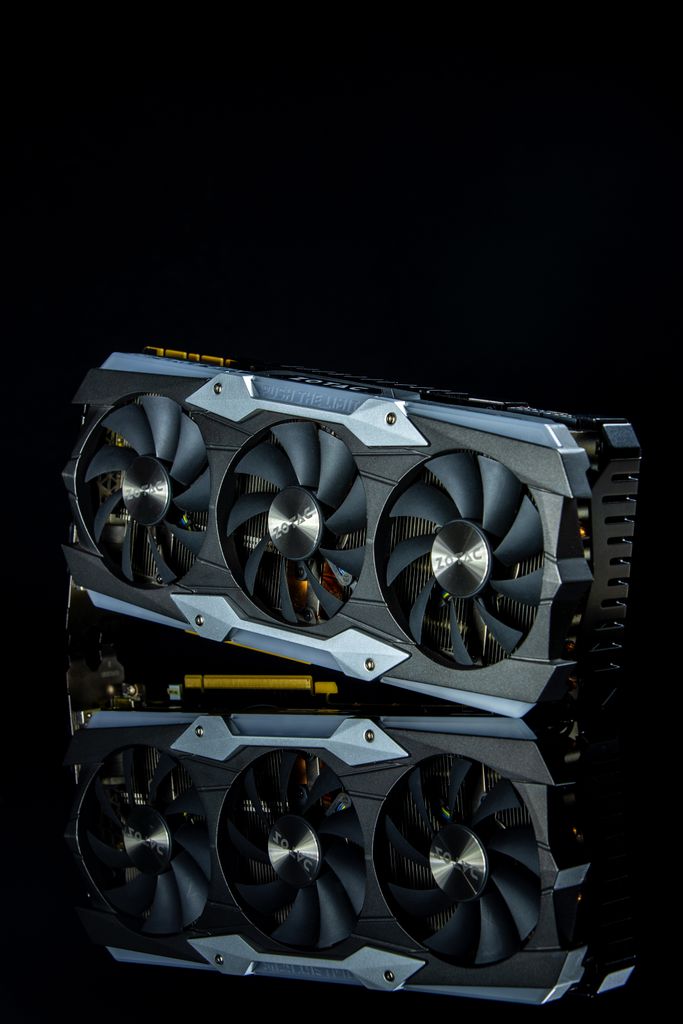
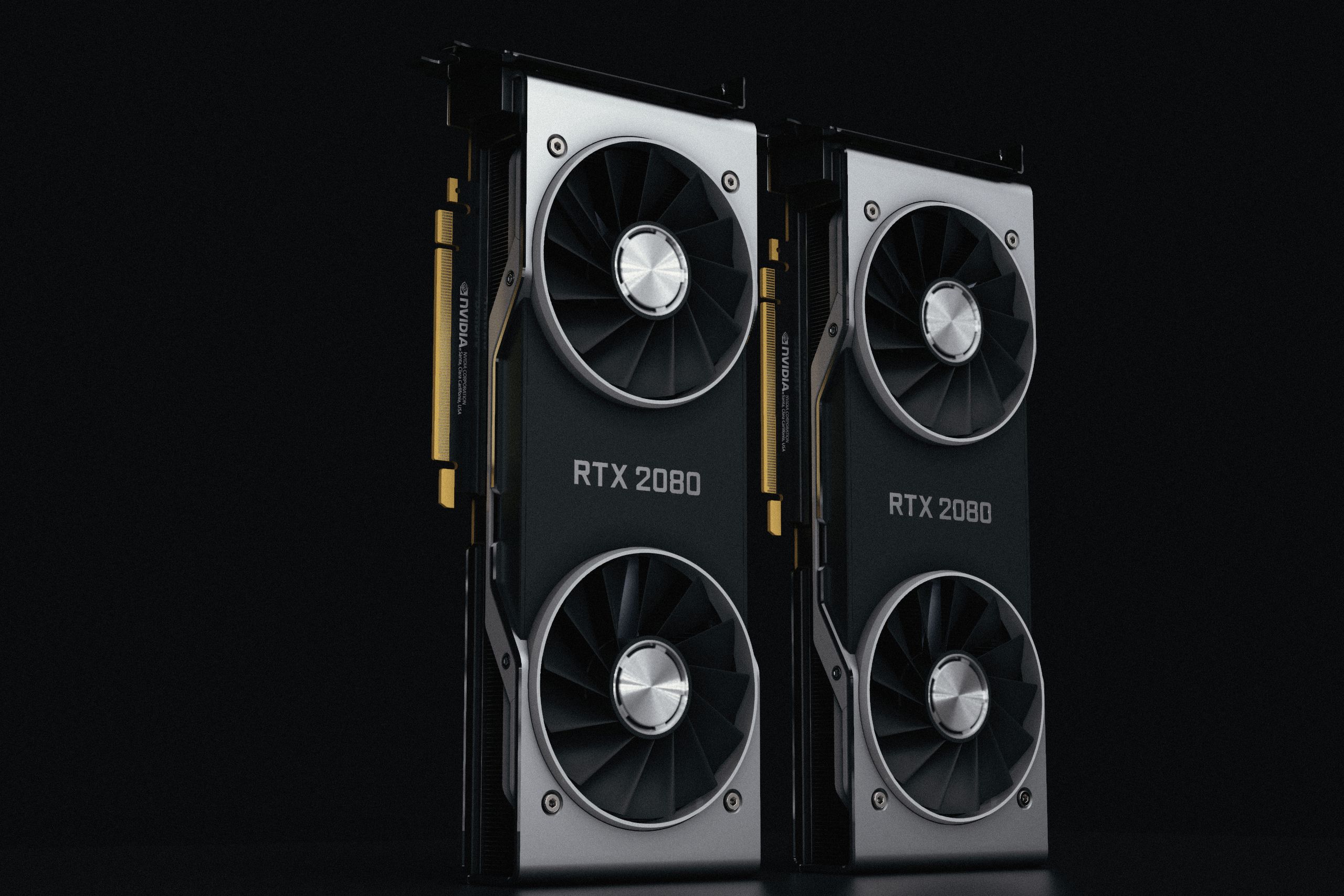
GPU technology has become one of the most important developments in modern computing. Originally designed to accelerate computer graphics, Graphics Processing Units (GPUs) have evolved into highly parallel processors used for artificial intelligence, scientific research, gaming, video production, cryptocurrency-related workloads, data analysis, and high-performance computing.
Unlike CPUs, which are designed primarily for general-purpose processing, GPUs contain large numbers of processing units optimized for performing many similar calculations simultaneously. This makes them particularly effective for workloads that can be parallelized.
Today, GPUs are found in gaming computers, workstations, smartphones, cloud data centers, autonomous systems, and supercomputers. Their role has expanded dramatically as artificial intelligence and machine learning have become major computing workloads.
What Is a GPU?
A Graphics Processing Unit is a specialized processor designed to perform large numbers of calculations in parallel.
The original purpose of GPUs was rendering images, animations, and video. Modern GPUs can perform many other types of computational tasks.
GPUs are commonly used for:
- Computer graphics
- Gaming
- Artificial intelligence
- Machine learning
- Video processing
- Scientific simulations
- Data analytics
- Engineering
- High-performance computing
The ability to process many operations simultaneously makes GPUs different from traditional CPUs.
CPU vs. GPU
CPUs and GPUs serve different purposes.
A CPU generally contains a smaller number of powerful cores designed to handle diverse instructions and complex sequential operations.
A GPU typically contains many processing units designed to execute large numbers of similar operations in parallel.
For example, rendering millions of pixels can involve performing similar calculations repeatedly. A GPU can process many of these calculations simultaneously.
Modern computers commonly use both CPUs and GPUs because each is suited to different types of workloads.
GPU Architecture
Modern GPUs contain multiple components that work together to perform computations.
These can include:
- Processing cores
- Memory controllers
- Cache systems
- Scheduling hardware
- Specialized acceleration units
- High-speed memory interfaces
The exact architecture differs between manufacturers and product generations.
GPU design focuses heavily on parallelism and efficient movement of data.
GPUs and Gaming
Basics and Types
- What is the difference between a CPU and a GPU?
- Integrated vs. Discrete GPU:
Core Components and Features
- What are CUDA, Tensor, and RT Cores?
- What is VRAM?
- Video RAM stores high-resolution textures, frame buffers, and geometry data directly on the graphics card. [1]
Common Uses
- What is a GPU used for besides gaming?
If you want to narrow this down, tell me:
- Are you looking into gaming performance, AI/machine learning, or hardware buying advice?
- Do you have a specific GPU model or issue in mind?
Gaming remains one of the most visible applications of GPU technology.
Modern games require the rendering of highly detailed environments, lighting effects, shadows, textures, animations, and visual effects.
GPUs can perform many of these calculations simultaneously, enabling high-resolution and high-frame-rate graphics.
Modern GPUs also support technologies such as ray tracing and AI-assisted graphics features.
Ray Tracing
Ray tracing is a rendering technique designed to simulate how light interacts with objects.
It can produce realistic effects involving:
- Reflections
- Shadows
- Lighting
- Global illumination
Ray tracing can require substantial computational power.
Modern GPUs often include specialized hardware to accelerate ray-tracing calculations.
AI and Machine Learning
One of the most important developments in GPU technology has been its role in artificial intelligence.
Many machine-learning models require large numbers of matrix and vector calculations.
GPUs are highly suited to these parallel mathematical operations.
They are widely used for:
- Neural-network training
- AI inference
- Computer vision
- Natural language processing
- Generative AI
- Recommendation systems
The growth of AI has therefore increased demand for powerful GPUs in data centers and other environments.
GPU Memory
Emerging Tech and Optimization
- What is Ray Tracing?
- Mimics real-world light behavior by calculating paths, reflections, and refractions.
- What are AI Upscaling and Frame Generation?
- AI Upscaling: Renders games at low resolutions and uses AI to sharpen images to 4K.
- Frame Generation: Inserts AI-created frames between real ones to instantly boost frame rates.
- What is VRAM Bottlenecking?
- Occurs when a game requires more memory than your GPU has, causing severe stuttering.
- What is Bottlenecking?
- Happens when a weak CPU limits a powerful GPU, or vice versa, stalling performance.
Maintenance and Troubleshooting
- Why is my GPU running hot?
- Dried-out thermal paste, dusty cooling fans, or poor PC case airflow.
- What is Coil Whine?
- High-pitched noise caused by electrical currents vibrating components inside the GPU.
- How often should I update drivers?
- Check monthly or whenever a major new game or software update releases.
If you are trying to make a decision, let me know:
- Are you trying to fix a laggy game, or choose a new GPU?
- What software or games are you trying to run?
GPU memory is an important component of performance.
A GPU needs fast access to data such as:
- Textures
- Model parameters
- Video frames
- Neural-network data
- Intermediate calculations
Different GPU systems use different memory technologies.
Future Trends and Industry Standards
- What is MCM (Multi-Chip Module) design?
- Connects multiple smaller chiplets together on one GPU instead of using one giant piece of silicon.
- What is Unified Memory Architecture?
- Allows the CPU and GPU to share the exact same high-speed memory pool for zero-latency data transfers.
- What is PCIe 5.0 and 6.0?
- Newer generations of motherboard slots that double the data transfer speed (bandwidth) of the previous version.
- What is the difference between NVLink and CXL?
- NVLink: Proprietary, ultra-fast Nvidia technology connecting multiple GPUs together.
- CXL: An open industry standard for connecting CPUs, GPUs, and memory across systems.
Advanced Rendering Concepts
- What are Mesh Shaders?
- Changes how geometry is processed, letting games render millions of highly detailed objects efficiently.
- What is Path Tracing?
- An advanced form of ray tracing that calculates every single light bounce in a scene for photorealism.
- What is Resizable BAR (Smart Access Memory)?
- Gives the CPU full access to the entire GPU memory at once to eliminate performance bottlenecks.
If you are looking for specific guidance, tell me:
- Are you comparing Nvidia vs. AMD vs. Intel architecture?
- Are you building a system for cloud computing / servers, or desktop workloads?
High-bandwidth memory is particularly important in some data-center and high-performance computing applications because it can provide large amounts of data bandwidth.
Future Trends and Industry Standards
- What is MCM (Multi-Chip Module) design?
- Connects multiple smaller chiplets together on one GPU instead of using one giant piece of silicon.
- What is Unified Memory Architecture?
- Allows the CPU and GPU to share the exact same high-speed memory pool for zero-latency data transfers.
- What is PCIe 5.0 and 6.0?
- Newer generations of motherboard slots that double the data transfer speed (bandwidth) of the previous version.
- What is the difference between NVLink and CXL?
- NVLink: Proprietary, ultra-fast Nvidia technology connecting multiple GPUs together.
- CXL: An open industry standard for connecting CPUs, GPUs, and memory across systems.
Advanced Rendering Concepts
- What are Mesh Shaders?
- Changes how geometry is processed, letting games render millions of highly detailed objects efficiently.
- What is Path Tracing?
- An advanced form of ray tracing that calculates every single light bounce in a scene for photorealism.
- What is Resizable BAR (Smart Access Memory)?
- Gives the CPU full access to the entire GPU memory at once to eliminate performance bottlenecks.
If you are looking for specific guidance, tell me:
- Are you comparing Nvidia vs. AMD vs. Intel architecture?
- Are you building a system for cloud computing / servers, or desktop workloads?
GPUs in Data Centers
Data centers use GPUs for computationally intensive workloads.
AI companies and cloud providers can deploy large numbers of GPUs to train and run machine-learning models.
Data-center GPUs are generally designed for sustained workloads, high memory capacity, efficient interconnection, and large-scale deployment.
They can be connected into clusters to provide enormous computing capacity.
GPU Computing
GPU computing refers to using GPUs for general-purpose computational tasks rather than only graphics.
Developers can use GPU programming platforms and libraries to execute suitable workloads on the GPU.
GPU computing can accelerate applications such as:
- Scientific simulations
- Financial calculations
- Image processing
- Data analysis
- AI workloads
Not every application benefits from GPU acceleration. Workloads must have enough parallelism to make effective use of GPU architecture.
GPUs and High-Performance Computing
High-Performance Computing systems increasingly use GPUs as accelerators.
Scientific simulations may involve millions or billions of calculations.
GPUs can perform many of these calculations simultaneously, allowing researchers to solve complex problems faster.
GPU-accelerated HPC is used in areas such as:
Mobile, Console, and Cloud GPU Architectures
- How do Mobile GPUs differ from Desktop GPUs?
- Architecture: Mobile GPUs use Tile-Based Deferred Rendering (TBDR) to save power by only rendering visible pixels.
- Constraints: Operating under severe thermal limits, they lack dedicated cooling fans and rely entirely on passive dissipation.
- What are Custom Console APUs?
- Integration: Modern consoles combine a CPU and a powerful custom GPU onto a single piece of silicon called an APU.
- Memory: They utilize unified GDDR6 memory, allowing both processors to access game assets simultaneously without copying data.
- How does Cloud GPU computing work?
- Virtualization: A single powerful enterprise GPU is sliced into multiple virtual GPUs (vGPUs) via software.
- Delivery: Users stream the visual output over the internet while heavy processing occurs in a remote data center.
Enterprise and AI Scaling
- What is an HBM (High Bandwidth Memory) stack?
- Places memory chips vertically directly next to the GPU die, creating a wider data highway than standard GDDR6.
- What is Liquid Cooling in data centers?
- Uses direct-to-chip liquid blocks to remove heat faster than air, allowing servers to run dense AI workloads continuously.
- What is GPU Cluster Interconnect?
- Links thousands of individual GPUs using high-speed networking fabrics (like InfiniBand) to act as one giant supercomputer.
To help you dive deeper, tell me:
- Are you designing software for mobile devices, or hosting cloud servers?
- Do you want to know about enterprise hardware like the Nvidia H100/B200 series?
- Physics
- Chemistry
- Climate modeling
- Astronomy
- Engineering
- Genomics
GPUs in Video Production
Video editing and production can require substantial computing resources.
GPUs can accelerate tasks such as:
- Video encoding
- Rendering
- Color processing
- Visual effects
- 3D graphics
Professional video applications can use GPU acceleration to reduce processing time and improve interactive performance.
GPUs in Mobile Devices
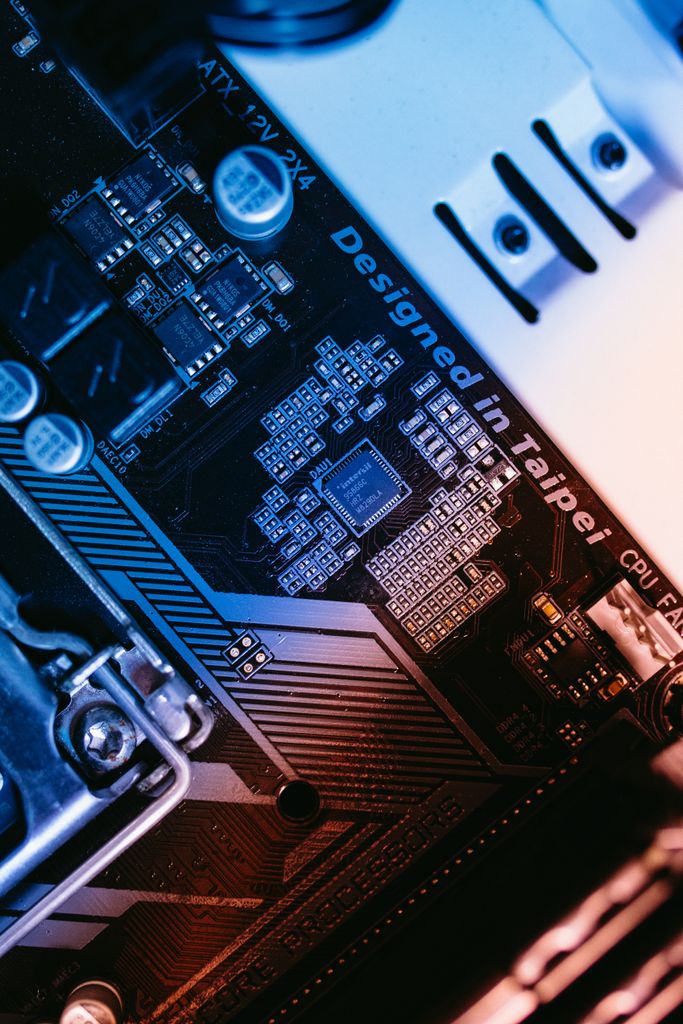
Mobile devices also use graphics processors.
Smartphones need GPUs for:
- Mobile games
- User-interface rendering
- Camera processing
- Video
- Augmented reality
- Some AI workloads
Mobile GPUs are designed with power efficiency in mind because smartphones operate within strict battery and thermal constraints.
GPUs and Edge Computing
Edge computing involves processing data closer to where it is generated.
GPUs can provide acceleration for edge AI applications such as:
- Smart cameras
- Robotics
- Industrial systems
- Autonomous machines
- Medical devices
Processing information locally can reduce latency and decrease the amount of data that needs to be sent to a remote cloud server.
GPU Virtualization
Cloud providers can divide physical GPU resources among multiple users or applications using virtualization technologies.
GPU virtualization can improve resource utilization and provide organizations with access to GPU computing without requiring them to purchase physical hardware.
This is particularly useful for cloud-based AI and graphics workloads.
GPU Programming
Developers can use specialized programming frameworks to take advantage of GPUs.
Common approaches include GPU-specific programming platforms, compute APIs, and libraries integrated with machine-learning frameworks.
Developers need to understand concepts such as:
- Parallel execution
- Memory management
- Threads
- Kernels
- Data transfer
- Synchronization
Writing efficient GPU software can require different techniques from traditional CPU programming.
Benefits of GPU Technology
GPU technology provides several important benefits.
Massive Parallelism
GPUs can perform many calculations simultaneously.
AI Acceleration
GPUs can significantly accelerate many machine-learning workloads.
Graphics Performance
They enable sophisticated real-time graphics and visual effects.
Scientific Computing
GPU acceleration can reduce the time required for complex simulations.
Video Processing
GPUs can speed up rendering and media-processing workloads.
Flexible Computing
Modern GPUs can be used for both graphics and general-purpose computation.
Challenges of GPU Technology
GPUs also present several challenges.
High Power Consumption
High-performance GPUs can consume substantial amounts of electricity.
Heat Generation
Powerful GPUs require effective cooling.
Cost
Advanced GPUs can be expensive, particularly data-center models.
Memory Limitations
Large workloads can be limited by available GPU memory. Programming Complexity
Programming Complexity
Efficient GPU programming can be more difficult than conventional application development.
Rapid Evolution
GPU architectures and software ecosystems change quickly.
GPU Technology and Artificial Intelligence GPU technology
The relationship between GPUs and AI is likely to remain one of the most important trends in computing.
Generative AI, large language models, image-generation systems, and other AI applications require significant computational resources.
GPUs provide the parallel processing capabilities required by many of these workloads.
Future GPUs are likely to include increasingly specialized hardware for AI operations, improved memory technologies, and faster communication between processors. GPU technology
Future of GPU Technology
The future of GPU technology will likely extend far beyond traditional graphics. GPU technology
AI acceleration will remain a major area of growth.
GPUs will increasingly be used in:
- AI data centers
- Autonomous vehicles
- Robotics
- Scientific computing
- Personal AI computers
- Cloud computing
- Edge devices
- Digital content creation
Advanced packaging, faster memory, improved energy efficiency, and specialized AI processing will continue to influence GPU design.
The distinction between graphics processors and general-purpose AI accelerators may also become less clear as modern processors support increasingly diverse workloads.
Advanced GPU Technology FAQs
Advanced GPU Architectures (Blackwell Ultra & Rubin)
- 1. What is the Nvidia Blackwell Ultra architecture?
- Blackwell Ultra (packaged primarily in the HGX B300 platform) represents the next evolution beyond the standard Blackwell series, specifically engineered to accelerate agentic AI workloads. It tightly pairs GPUs with Grace CPUs over ultra-fast 900 GB/s NVLink-C2C links to completely prevent compute starvation from I/O or CPU bottlenecks. [1, 2, 3]
- 2. What are the key performance metrics of a single Blackwell Ultra B300 GPU?
- Advanced GPU Technology FAQs
- Advanced GPU Architectures (Blackwell Ultra & Rubin)
- 1. What is the Nvidia Blackwell Ultra architecture?
- Blackwell Ultra (packaged primarily in the HGX B300 platform) represents the next evolution beyond the standard Blackwell series, specifically engineered to accelerate agentic AI workloads. It tightly pairs GPUs with Grace CPUs over ultra-fast 900 GB/s NVLink-C2C links to completely prevent compute starvation from I/O or CPU bottlenecks. [1, 2, 3]
- 2. What are the key performance metrics of a single Blackwell Ultra B300 GPU?
Conclusion
GPU technology has transformed from a graphics-focused technology into a fundamental component of modern computing.
Its ability to perform large numbers of operations in parallel makes GPUs valuable for gaming, AI, scientific research, video processing, engineering, and high-performance computing.
The rapid growth of artificial intelligence has made GPU technology even more important. Data centers now depend heavily on GPU-based acceleration for demanding AI workloads, while consumer devices increasingly use GPUs for graphics and local intelligence.
Despite challenges involving cost, energy consumption, heat, memory, and programming complexity, GPU technology will continue to evolve.
As artificial intelligence, cloud computing, robotics, gaming, and scientific computing advance, GPUs will remain a key technology for delivering the computational power needed by the next generation of digital applications.