Best AI Tools for Students in 2026
Introduction
Artificial intelligence has become an important part of modern education. Students can now use AI tools to understand difficult subjects, organize notes, research topics, practice for exams, improve writing, learn programming, and create presentations. However, the most useful AI tools are not necessarily the ones that simply produce answers. The best tools help students understand concepts, ask better questions, practice skills, and become more independent learners. Best AI Tools for Students
In 2026, students have access to a wide range of AI platforms, including general AI assistants, research tools, note-taking applications, writing assistants, coding tools, presentation generators, and study platforms. Recent comparisons commonly highlight tools such as ChatGPT, Claude, Google Gemini, Perplexity, NotebookLM, Grammarly, Quizlet, Canva, GitHub Copilot, and Wolfram Alpha for different academic tasks.Best AI Tools for Students
This article explains some of the best AI tools for students, what each tool can do, and how students can use AI responsibly.Best AI Tools for Students
1. ChatGPT – Best All-Purpose AI Study Assistant
ChatGPT is one of the most versatile AI tools available to students. It can explain complicated concepts, answer questions, help students brainstorm ideas, create practice questions, review writing, analyze information, and assist with programming.v
One of its biggest advantages is that students can ask follow-up questions. For example, instead of simply asking for the definition of artificial intelligence, a student can ask for a simple explanation, examples, a comparison with traditional software, and then a short quiz.
Students can also use ChatGPT as a personal study partner. They can provide a topic and ask the AI to teach it step by step rather than immediately giving them the answer. This approach can make AI more useful for learning.v
ChatGPT can be particularly helpful for:
- Understanding difficult concepts
- Creating study questions
- Brainstorming project ideas
- Reviewing written work
- Learning programming
- Summarizing provided material
- Preparing for exams
- Practicing languages
The most effective approach is to use it as a tutor and learning assistant, rather than as a replacement for personal study.v
2. Google Gemini – Useful for Research and Google Workspace
Google Gemini is another major AI assistant that can support students with research, writing, explanations, brainstorming, and other academic tasks. It is especially useful for students who already use Google’s ecosystem of services.v
Students can use Gemini to understand difficult topics, generate ideas, analyze information, and work with documents. Its connection with Google’s broader productivity ecosystem can make it useful for students who organize their school or university work through Google services.
For example, a student preparing a presentation about climate change could use Gemini to brainstorm major sections, identify questions that need research, and develop an outline. The student should then independently verify important facts using reliable sources.
Gemini is particularly useful for:
- Research preparation
- Brainstorming
- Writing assistance
- Understanding concepts
- Working with documents
- Creating study questions
- Analyzing different types of information
The exact features available can vary according to account type, location, and education access.
3. Claude – Excellent for Long Reading and Writing Support
Claude is another AI assistant that can be useful for students, especially when working with longer documents and detailed explanations. Current student-AI comparisons frequently identify Claude as a strong option for long-form reading, reasoning, and writing support.v
A student could provide a lengthy set of notes and ask Claude to identify major themes, explain difficult sections, or create questions for revision.
It can also help students improve their own writing. Rather than asking an AI to write an entire assignment, students can provide their own draft and ask for feedback about organization, clarity, grammar, or weak arguments.vBest AI Tools for Students
Useful applications include:
- Reading long documents
- Understanding complex subjects
- Brainstorming
- Essay planning
- Writing feedback
- Summarization
- Programming assistance
The key is to keep the student’s own ideas and reasoning at the center of the work.
4. Perplexity – Best for Research and Sources
Perplexity is particularly useful when students need to investigate a topic and find sources. Unlike a traditional chatbot-only workflow, it combines AI responses with web search and presents sources that users can investigate.Best AI Tools for Students Best AI Tools for Students
This can be useful when researching topics that change over time. Students can use it to identify possible sources, understand a subject, and discover information they may want to investigate further.Best AI Tools for Students
However, students should never assume that an AI-generated answer is automatically correct. They should open important sources, read them, check the original information, and follow their school’s requirements for citations.Best AI Tools for Students
Perplexity can be useful for:
- Researching topics
- Finding sources
- Discovering current information
- Fact-checking
- Developing research questions
- Comparing information from different sources
For academic work, source verification is especially important because AI systems can sometimes misunderstand information or provide incorrect references.Best AI Tools for Students
5. NotebookLM – Excellent for Studying Your Own Notes
NotebookLM is designed around source-based learning. It can help students work with their own documents, notes, readings, and other study materials. Current guides frequently recommend it for turning course material into study resources.
Imagine that a student has several lecture documents and a large amount of reading material before an examination. Instead of repeatedly searching through every document, the student can use NotebookLM to organize and explore the provided material.
Students can ask questions about their sources, request summaries, identify major concepts, and create revision material. Best AI Tools for Students
It is particularly useful for:
- Lecture notes
- PDF reading
- Course materials
- Revision
- Summaries
- Question generation
- Source-based studying
NotebookLM is especially valuable because it encourages students to work from their actual study material rather than relying entirely on general AI knowledge.
6. Grammarly – Best for Grammar and Writing Improvement
Grammarly is primarily a writing and editing assistant. Students can use it to identify grammar problems, spelling mistakes, awkward sentences, and clarity issues. Best AI Tools for Students
Writing quality is important in almost every academic field. A student may understand a subject very well but struggle to communicate ideas clearly. Grammarly can help identify some of these problems. vBest AI Tools for Students
Students can use it for:
- Grammar checking
- Spelling
- Sentence clarity
- Punctuation
- Tone suggestions
- General proofreading
A good approach is to treat Grammarly as an editor rather than an automatic writer. Students should understand the suggested changes and decide whether they actually improve the sentence. Best AI Tools for Students
7. Quizlet – Useful for Flashcards and Revision
Quizlet is a popular learning platform that helps students study through flashcards, practice activities, and revision tools. AI features can make it easier to transform study material into questions or flashcards.
Flashcards can be especially helpful for subjects that require memorization, such as vocabulary, definitions, formulas, terminology, and historical facts. Best AI Tools for Students
Students can create a set of questions from their notes and repeatedly test themselves.
Quizlet can help with:
- Vocabulary
- Definitions
- Exam revision
- Flashcards
- Practice questions
- Memorization
However, students should not rely only on recognition. They should also practice explaining concepts in their own words and solving problems without assistance. Best AI Tools for Students
8. Canva AI – Best for Presentations and Visual Projects
Canva is widely used for graphic design, presentations, posters, social media graphics, and educational projects. Its AI-powered features can help students develop visual materials more efficiently.
For example, students working on a school presentation can begin with their own research and outline. Canva can then help transform the structure into a visually organized presentation.
It can be useful for:
- School presentations
- University presentations
- Posters
- Infographics
- Diagrams
- Educational graphics
- Project covers
Students should still check every fact and avoid overcrowding slides with automatically generated text. A strong presentation should communicate ideas clearly rather than simply contain many visual effects. Best AI Tools for Students
9. GitHub Copilot – Helpful for Programming Students
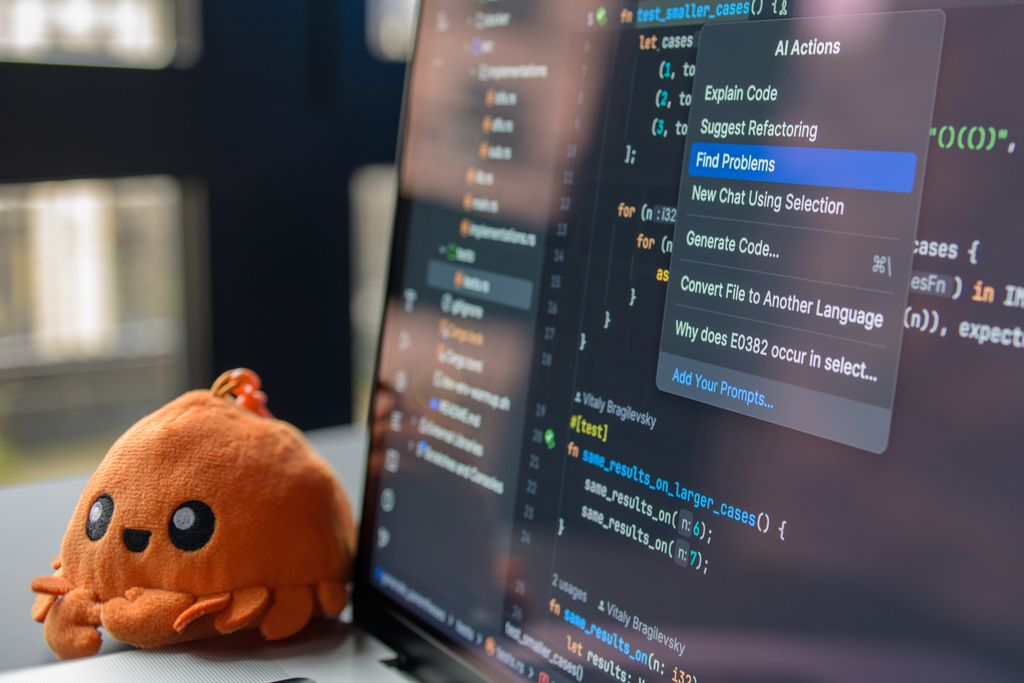
Students learning computer science, software engineering, or web development can benefit from AI coding assistants such as GitHub Copilot.
Coding assistants can suggest code, explain programming concepts, identify possible errors, and help students understand unfamiliar code. Best AI Tools for Students
For beginners, however, copying generated code without understanding it can create problems. A student might have a program that works but be unable to explain how it works.
A better learning process is:
- Write an initial solution yourself.
- Identify the part causing difficulty.
- Ask the AI for an explanation.
- Compare different approaches.
- Test the code.
- Explain the final solution in your own words.
This makes AI a programming tutor rather than simply a code generator.
10. Wolfram Alpha – Useful for Mathematics and Science
Wolfram Alpha is a computational knowledge tool that can be useful for mathematics, science, engineering, and other quantitative subjects. Best AI Tools for Students
Students can use computational tools to explore mathematical expressions, equations, graphs, statistics, and scientific calculations.
The important thing is to understand the method. If a student receives an answer to a mathematical problem but does not understand how the result was obtained, the tool has not fully solved the educational problem.
Students should use computational AI to investigate and practice concepts, while continuing to learn the underlying mathematics. Best AI Tools for Students
11. Notion AI – Helpful for Organization
Notion is a productivity and note-taking platform that can help students organize academic information. AI features can assist with summarization, organization, brainstorming, and retrieving information from notes. Best AI Tools for Students
Students can create separate areas for:
- Subjects
- Assignments
- Examination preparation
- Project notes
- Reading lists
- Important deadlines
- Personal study plans
Good organization can make studying easier because students spend less time searching for information and more time actually learning. Best AI Tools for Students
12. Elicit – Useful for Academic Research
Students involved in research projects may also benefit from specialized research tools such as Elicit. These platforms are designed to help users discover and analyze academic literature.
For example, a student preparing a research project can use a research assistant to identify papers related to a topic and organize information that may require further investigation.
However, students should always read the original research papers rather than relying entirely on an AI-generated summary. Best AI Tools for Students
How Students Should Use AI for Studying
AI becomes much more valuable when students use it actively. Best AI Tools for Students
Instead of asking:
“Give me the answer.”
A student can ask:
“Explain this concept step by step, then give me five questions so I can test myself.” Best AI Tools for Students
Another useful approach is:
“Don’t solve this problem immediately. Give me hints so I can solve it myself.”
This encourages active learning.
Students can also ask AI to act as a tutor:
“Teach me this topic at beginner level. Ask me questions after each section and correct my mistakes.”
This method can help transform AI from an answer machine into a study partner.
Benefits of AI Tools for Students
AI tools can provide several educational benefits.
1. Personalized Learning
Different students understand concepts at different speeds. AI can explain the same idea in multiple ways, provide examples, or simplify complicated terminology.
2. Faster Research
Research tools can help students discover relevant information and potential sources more quickly.
3. Better Organization
AI can help organize notes, create summaries, generate study questions, and structure projects.
4. Writing Improvement
Writing assistants can identify grammar, spelling, and clarity problems.
5. Programming Support
Coding assistants can explain errors and demonstrate programming concepts. Best AI Tools for Students
6. Exam Preparation
AI can generate practice questions, flashcards, quizzes, and revision plans.
7. Accessibility
AI can help students simplify complex language, translate information, and explore difficult material in different formats.
Risks and Limitations of AI
Despite its advantages, AI has important limitations.
AI Can Make Mistakes
AI systems sometimes generate incorrect information. Students should verify important facts, especially for academic research. Best AI Tools for Students
AI Can Reduce Independent Thinking
If students use AI to solve every problem, they may become dependent on it. Learning requires students to struggle with difficult questions and develop their own reasoning.
Academic Integrity Matters
Schools and universities may have rules about AI use. Students should follow their institution’s policies and clearly understand when AI assistance is permitted.
Privacy Matters
Students should be careful about uploading private information, confidential documents, personal data, or other sensitive material into AI services.
AI Does Not Replace Teachers
A teacher understands a student’s curriculum, classroom expectations, progress, and learning needs in ways a general AI system may not. AI should support teachers and students, not replace the educational relationship.
Best AI Tool According to the Task
There is no single AI tool that is perfect for every student.
| Student Need | Useful AI Tool |
| General studying | ChatGPT |
| Long documents | Claude |
| Research and sources | Perplexity |
| Studying personal notes | NotebookLM |
| Grammar and editing | Grammarly |
| Flashcards and revision | Quizlet |
| Presentations and design | Canva |
| Programming | GitHub Copilot |
| Mathematics and computation | Wolfram Alpha |
| Organization | Notion AI |
| Academic literature research | Elicit |
These recommendations should be viewed as use-case suggestions rather than permanent rankings because AI capabilities, pricing, limits, and education plans change frequently.
A Simple AI Study Workflow
Students do not need to subscribe to dozens of AI services. A small combination of tools can cover most academic needs.
Step 1: Understand the topic
Use ChatGPT, Claude, or Gemini to explain difficult concepts.
Step 2: Work with your course material
Use NotebookLM or another source-based tool to explore your own notes and readings.
Step 3: Research
Use Perplexity or academic databases to discover sources.
Step 4: Practice
Use Quizlet or an AI assistant to create questions and test your knowledge.
Step 5: Write
Write your own assignment or report first. Then use a writing assistant to identify areas that need improvement.
Step 6: Verify
Check important facts against reliable sources.
Step 7: Review
Close the AI tool and explain the topic yourself. If you can explain it without assistance, you are much more likely to have actually learned it.
Conclusion
AI tools can become powerful learning partners for students when they are used responsibly. ChatGPT can provide general study assistance, Claude can help with detailed reading and reasoning, Gemini can support students working in Google’s ecosystem, Perplexity can assist with research and sources, and NotebookLM can turn personal study material into a useful learning environment. Grammarly can improve writing, Quizlet can support revision, Canva can help with presentations, GitHub Copilot can assist programming students, and Wolfram Alpha can support mathematical and scientific exploration.
The most important lesson is that AI should help students learn, not replace learning. Students should use these tools to ask better questions, understand difficult concepts, practice skills, check their work, and discover useful resources.
A strong student does not simply ask an AI tool for an answer. A strong student asks why the answer is correct, how it was reached, what evidence supports it, and whether they can explain it independently.
The best AI strategy in 2026 is therefore not to use the maximum number of tools. It is to choose a few reliable tools for specific purposes and combine them with traditional studying, textbooks, teachers, research, discussion, practice, and independent thinking. Recent comparisons similarly emphasize using AI as a learning assistant rather than simply outsourcing academic work.
When used thoughtfully, AI can save time while also helping students become more curious, organized, knowledgeable, and confident learners.