How to Make an Account on Twitter (X): Complete Guide 2026
Twitter, now called X, is a social-media platform where people can share posts, follow accounts, discuss topics, and discover news and other content. Creating an account is straightforward, but you should follow the platform’s age requirements and safety rules. How to Make an Account on Twitter (X)
1. Download the X App or Open the Website
On a smartphone, open your device’s official app store and search for the X app. How to Make an Account on Twitter (X)
You can also use a web browser to visit the official X website.
2. Select “Create Account”
Open X and select Create account or the equivalent signup option.
The platform will guide you through the account-creation process.
3. Enter Your Name
Enter the name you want associated with your account.
Use accurate information and do not pretend to be another person, organization, or public figure.
4. Add Your Date of Birth
X may ask for your date of birth.
Enter your actual date of birth. Do not enter a false age to bypass the platform’s age restrictions.
5. Add an Email Address or Phone Number
Depending on the signup options available, you may be able to register using an email address or phone number.
Use contact information that you control because it can help with account verification and recovery.
6. Verify Your Information
X may send a verification code to your email address or phone number.
Enter the code provided by X when requested.
Never give your verification code or password to another person.
7. Create a Strong Password
Create a unique password that other people cannot easily guess.
Avoid using obvious information such as your name, birthday, or simple number combinations.
Do not reuse your X password on other important accounts.
8. Choose a Username
Your X username, also known as a handle, begins with @.
For example:
@TechWorld
Choose a username that is easy to remember and relevant to your interests or content.
Avoid usernames that impersonate another person or organization.
9. Add a Profile Picture
You can add a profile picture to help people recognize your account.
Use an image that you own or have permission to use. If you are creating an account for a brand or content channel, an original logo can also work.
10. Write a Bio
Your bio briefly explains who you are or what your account is about.
For example:
Technology enthusiast | AI and gadgets | Sharing useful tech information
Avoid putting private information in your bio.
11. Add a Header Image

X allows you to customize your profile with a header image.
Choose an original image that matches your interests or content. Make sure it does not violate copyright or platform rules.
12. Follow Accounts
X will suggest accounts based on your interests.
You can follow accounts related to topics such as:
- Technology
- Sports
- Education
- Entertainment
- Science
- News
- Gaming
Follow accounts you recognize and trust, and be careful with unfamiliar accounts.
13. Make Your First Post
After setting up your profile, you can create your first post.
You might share an original thought, an appropriate image, a question, or information related to your interests.
Before posting, think about whether the information is appropriate to share publicly.
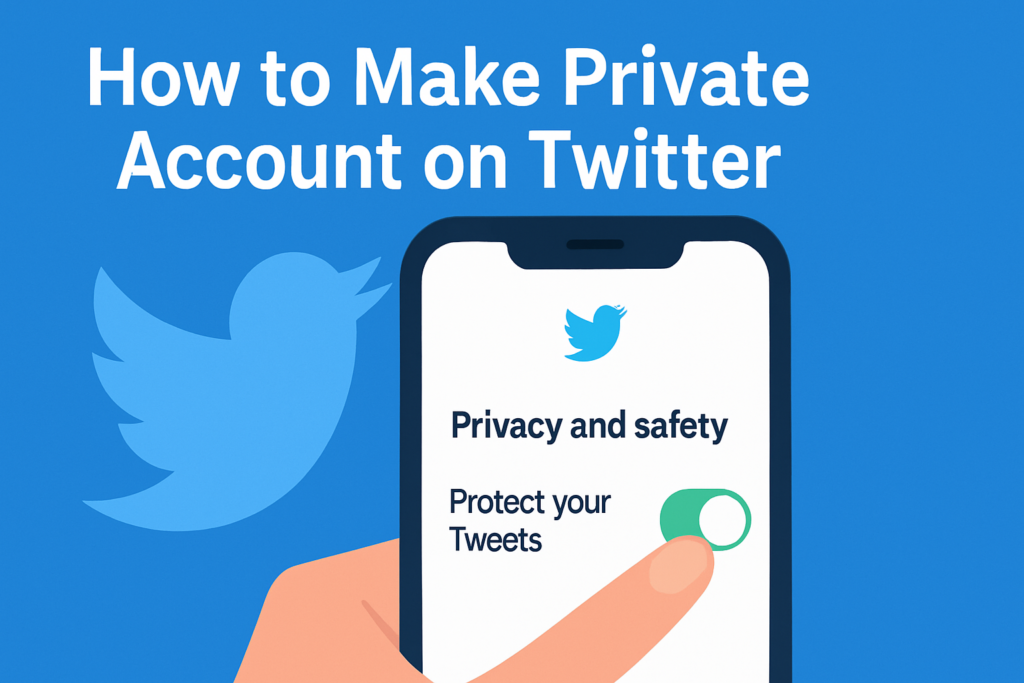
14. Adjust Privacy and Safety Settings
Review X’s privacy and safety settings after creating your account.
Depending on the available settings, you can control things such as who can interact with your posts and how your account can be discovered.
If you prefer more privacy, consider limiting who can see or interact with your content.
15. Protect Your Account
Account security is very important.
Follow these basic rules:
- Use a strong, unique password.
- Never share your password.
- Never share login or verification codes.
- Be cautious with suspicious links.
- Do not give strangers access to your account.
- Enable additional security features when available.
If you receive a suspicious message claiming that your account will be deleted unless you provide information, do not immediately follow its instructions.
16. Be Careful With Direct Messages
You may receive messages from people you do not know.
Do not provide strangers with private information, passwords, verification codes, financial information, or personal contact details.
If someone behaves inappropriately or makes you uncomfortable, you can use X’s available blocking and reporting tools.
17. Understand Posts and Reposts
On X, you can create your own posts and interact with other people’s posts.
Depending on the current features, you may be able to reply, repost, quote, like, or bookmark content.
Remember that online posts can be copied or shared by others, so think carefully before publishing personal information.
18. Avoid Copyright Problems
Do not upload someone else’s photographs, videos, music, or other copyrighted material without appropriate permission or rights.
If you want to share someone else’s work, use the platform’s available sharing features when appropriate rather than claiming their work as your own.
19. Follow X’s Rules
Your account and posts should follow X’s current rules and policies.
Do not use your account for impersonation, scams, harassment, or other prohibited activities.
Rules and features can change, so check X’s current policies when necessary.
20. Keep Your Account Secure
Regularly review your account’s security settings and connected sessions.
If you believe someone has accessed your account without permission, change your password and use X’s account-recovery and security options.
1. How to Make an Account on Twitter (X)?
To learn How to Make an Account on Twitter (X), visit X.com or open the X app, select the sign-up option, and follow the account creation steps. X allows users to register using an email address or phone number.
2. Can I Make a Twitter (X) Account for Free?
Yes. How to Make an Account on Twitter (X) does not normally require a payment for basic account creation.
3. What Do I Need to Make an X Account?
To understand How to Make an Account on Twitter (X), you generally need your name and either an email address or phone number. X may ask you to verify the information you provide.
4. Can I Create an X Account With an Email Address?
Yes. When learning How to Make an Account on Twitter (X), you can choose to sign up using an email address and verify it through the confirmation message sent by X.
5. Can I Create an X Account With a Phone Number?
Yes. X supports registration using a phone number. During How to Make an Account on Twitter (X), X may send a verification code by SMS.
6. Where Can I Sign Up for Twitter (X)?
You can begin How to Make an Account on Twitter (X) through X.com and select the sign-up option. X’s official instructions direct users to its signup page.
7. Can I Make an X Account on My Phone?
Yes. How to Make an Account on Twitter (X) can be completed through the X mobile application on supported devices.
8. Can I Create an X Account on Android?
Yes. Android users can install the X application and follow its signup process. This is one way of learning How to Make an Account on Twitter (X).
9. Can I Create an X Account on iPhone?
Yes. X provides a signup process through its iOS application.
10. Can I Create an X Account on a Computer?
Yes. You can visit X.com through a supported web browser and follow the signup process to learn How to Make an Account on Twitter (X).
11. Do I Need a Phone Number to Create an X Account?
Not necessarily. X says users can sign up with an email address or phone number, although additional information may sometimes be requested.
12. Do I Need an Email Address for X?
An email address is one available signup option. Depending on the signup method, X may instead use a phone number or another supported sign-in option.
13. How Do I Verify My X Account?
If you sign up with email, X can send a verification email. If you use a phone number, X can send a verification code by text message.
14. Why Does X Ask for Verification?
Verification helps X confirm information associated with an account. During How to Make an Account on Twitter (X), you may be asked to verify your email address or phone number.
15. What Should I Do After Creating an X Account?
After How to Make an Account on Twitter (X), you can customize your profile, add a profile picture and bio, follow people or topics, and start using X.
16. How Do I Choose an X Username?
Your username, also called your handle, identifies your account on X. X provides available suggestions during signup, and you can change your username later if the new one is available.
17. Can I Change My X Username Later?
Yes. X states that usernames can be changed through account settings as long as the new username is available and meets its requirements.
18. What Is an X Handle?
An X handle is your username on the platform. It is used by other users when mentioning or replying to your account and also forms part of your profile URL.
19. How Long Can an X Username Be?
According to X’s current help documentation, usernames must be fewer than 15 characters and have additional restrictions.
20. Can I Use Google to Create an X Account?
Yes. X provides a Google signup option on supported platforms.
21. Can I Use Apple to Create an X Account?
Yes. X provides a “Continue with Apple” option on supported platforms.
22. Is the Email Address Visible on My X Profile?
X says an email address used for signup is not publicly visible on the profile.
23. What If I Don’t Receive the Verification Code?
Check that the phone number or email address was entered correctly and look for the verification message. X also provides troubleshooting information for some verification-code issues.
24. Why Is My X Verification Code Not Arriving?
There can be temporary issues with receiving SMS verification codes. X recommends checking relevant phone settings and following its current support guidance.
25. Can I Create an X Account Without a Phone Number?
In many cases, yes. X supports signup using an email address, although the information requested can vary depending on the signup process.
26. Can I Use the Same Email for Multiple X Accounts?
X states that an email address can only be associated with one X account at a time.
27. How Do I Make My X Profile Look Professional?
After How to Make an Account on Twitter (X), add an appropriate profile image, header, clear bio, and relevant information about your interests or purpose.
28. How Do I Add a Profile Picture on X?
After creating your account, open your profile and use the profile-editing options to add or change your profile picture. X provides profile customization tools for new accounts.
29. How Do I Add a Bio on X?
You can edit your profile after signup and add a short bio describing your interests, activities, or account purpose.
30. How Do I Follow People on X?
Search for accounts you’re interested in and select the follow option. X also recommends following topics and accounts to customize your timeline.
31. How Do I Follow Topics on X?
After How to Make an Account on Twitter (X), you can explore available topics and follow those that interest you. This helps personalize your timeline.
32. Can I Use X on a Web Browser?
Yes. X can be accessed through X.com, allowing you to create and use an account through a web browser.
33. Can I Create an X Account Through the Mobile App?
Yes. Both Android and iOS applications provide account signup functionality.
34. Is Creating an X Account Difficult?
No. The process is designed to guide users through the required signup information, verification, and account customization steps.
35. How Long Does It Take to Create an X Account?
The time can vary depending on verification and the information requested. The basic signup process can usually be completed by following the prompts provided by X.
36. What Happens After I Enter My Information?
After How to Make an Account on Twitter (X), X guides you through the remaining signup process, which can include verification and experience customization.
37. Can I Customize My X Account?
Yes. X allows users to customize profile information and various account settings after registration.
38. Can People Find Me Using My Email or Phone Number?
Depending on your settings, X may allow people to find your account through associated contact information. These discoverability settings can be adjusted.
39. Can I Change My X Privacy Settings?
Yes. X provides settings that allow users to manage different aspects of their account and discoverability.
40. How Do I Secure My New X Account?
Use a strong, unique password and keep your account information updated. X also provides security-related features and settings for account protection.
41. Why Should I Keep My Email or Phone Number Updated?
Keeping account information current can help you maintain access to your account and use available security features.
42. Can I Have More Than One X Account?
X allows multiple accounts for legitimate, distinct purposes, subject to its rules and technical limits.
43. Can I Switch Between Multiple X Accounts?
Yes. X provides features for adding and switching between multiple accounts on supported platforms.
44. Can I Merge Two X Accounts?
X currently does not provide a feature for merging multiple accounts or transferring posts, followers, and following information between them.
45. Can I Create an X Account for a Business?
Yes. X can be used for legitimate business or organizational purposes, provided the account follows X’s rules.
46. Can I Create an X Account for a Personal Project?
Yes. X permits accounts for legitimate personal projects, hobbies, and interests, subject to its policies.
47. Should I Use My Real Name on X?
Choose a name that accurately represents your account and follows X’s rules. Avoid misleading identities or information intended to deceive others.
48. Can I Use a Nickname on X?
The name displayed on your profile can be different from your username, but your account should still comply with X’s authenticity and other platform rules.
49. What Should I Post After Creating an X Account?
You can share original posts about topics you’re interested in, participate in conversations, and follow relevant accounts. Make sure your content follows X’s rules.
50. Is X the Same as Twitter?
Yes. Twitter was rebranded as X, and the platform is now officially referred to as X.
51. What Is the Best Way to Learn How to Make an Account on Twitter (X)?
The easiest approach is to follow X’s official signup process and complete each requested step. X provides current signup instructions for web, Android, and iOS.
52. Can I Make an X Account With Google?
Yes. How to Make an Account on Twitter (X) can include using the Google signup option where it is available.
53. Can I Make an X Account With Apple?
Yes. On supported platforms, How to Make an Account on Twitter (X) can be completed using the Apple signup option.
54. What Information Does X Ask for During Signup?
When following How to Make an Account on Twitter (X), X may request your name, email address or phone number, followed by verification and other setup information.
55. What Should I Do If X Requests Additional Information?
Follow the instructions shown by X and provide only information you are comfortable providing through the official X service. X notes that some users may be asked for additional information during signup or login.
56. Is There an Official Guide for How to Make an Account on Twitter (X)?
Yes. X provides an official help guide explaining the current signup process, including email, phone, Google, and Apple signup options.
57. Can I Set Up My X Profile After Signup?
Yes. Once you complete How to Make an Account on Twitter (X), you can customize your profile, add a bio and profile image, and follow people or topics.
58. Why Should I Learn How to Make an Account on Twitter (X)?
Learning How to Make an Account on Twitter (X) makes it easier to join conversations, follow topics, connect with accounts, and customize your social-media experience.
59. What Is the First Step in How to Make an Account on Twitter (X)?
The first step in How to Make an Account on Twitter (X) is to visit X.com or open the official X application and choose the signup option.
60. What Is the Final Step in How to Make an Account on Twitter (X)?
After completing the requested information and verification, How to Make an Account on Twitter (X) is essentially complete. You can then customize your profile, follow accounts or topics, and begin using X.
61. Is It Safe to Create an X Account?
You should use the official X website or application and protect your login information. Avoid sharing your password or verification codes with other people.
62. Can I Change My Account Settings Later?
Yes. X allows users to review and modify various account settings after creating an account.
63. Can I Create an X Account From Different Devices?
Yes. You can use supported web and mobile platforms to access X and create or manage your account.
64. What Should Beginners Know About Creating an X Account?
Beginners should use accurate information, complete any required verification, choose an available username, customize their profile, and review privacy and security settings.
65. Where Can I Find More Information About How to Make an Account on Twitter (X)?
Conclusion
Creating an X account is easy: download or open X, select Create account, provide the requested information, verify your contact details, create a secure password, and customize your profile.
After creating the account, focus on privacy and security. Use an appropriate username and profile, follow accounts that interest you, share original content, and follow X’s current rules.
Most importantly, follow the platform’s age requirements rather than trying to bypass them.